
A repeatable backup workflow that can be observed and verified
EMG Backup Automation replaces fragile legacy copying with a scheduled PowerShell workflow for patient-file backup, validation, logging and controlled NAS offload.
Automation & Data Protection
Automated backup and validation workflows supporting MILLENSYS patient-file operations and NAS offload.
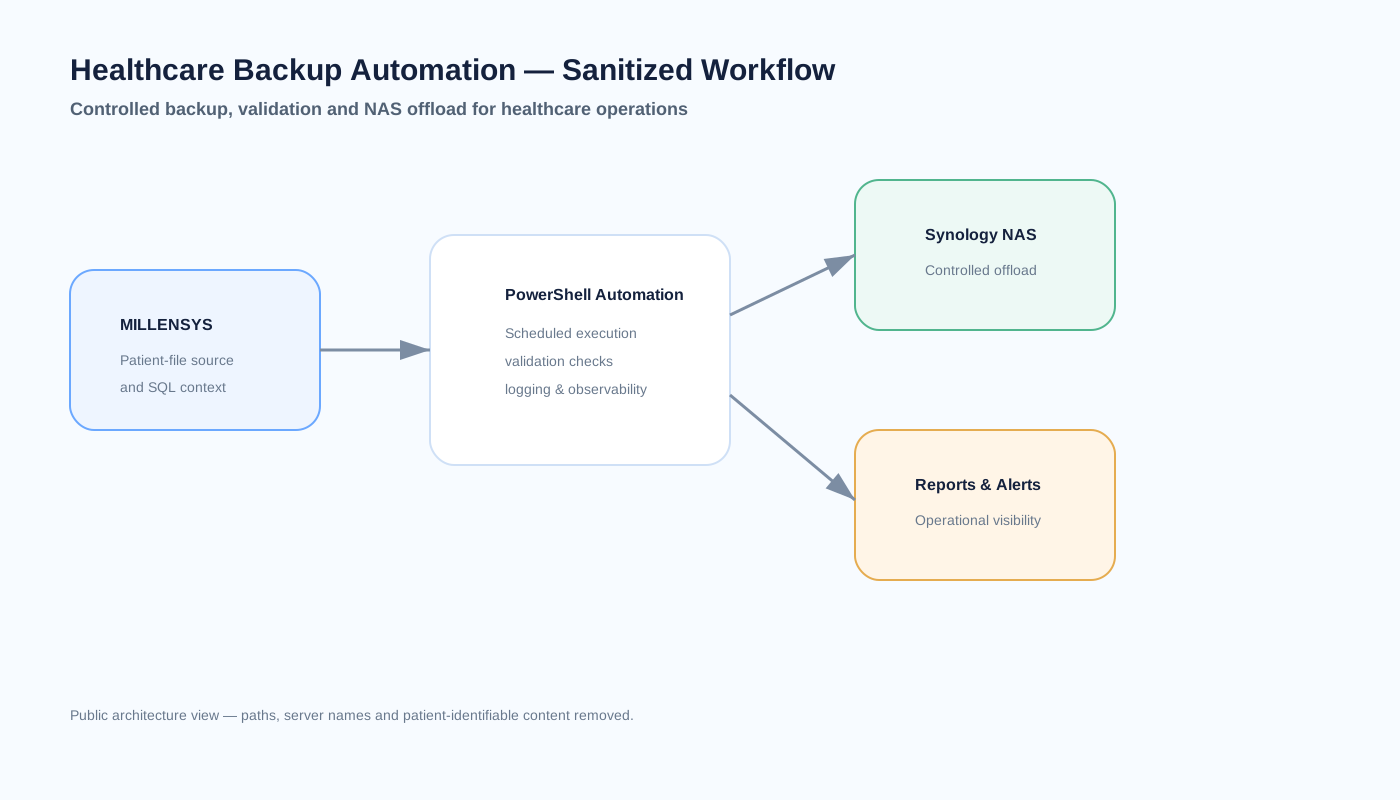
EMG Backup Automation replaces fragile legacy copying with a scheduled PowerShell workflow for patient-file backup, validation, logging and controlled NAS offload.
Healthcare patient-file operations depended on legacy and manual routines that needed stronger repeatability, visibility and operational ownership.
Ahmed designed the automation approach, scripting, validation logic, operational logging and rollout around the existing MILLENSYS file workflow.
Environment: Windows-based MILLENSYS operations with patient files copied to managed Synology NAS storage.
A PowerShell workflow coordinates scheduled copying, validation, logging and destination handling without claiming snapshot, replication or Veeam capabilities that are not part of the production design.
Technology
The stack and platforms associated with this project.
High-level architecture view of the scheduled patient-file backup automation workflow.
Patient filenames, private paths, credentials and storage secrets are intentionally omitted. The project does not claim Veeam, snapshots or replication.
Solution architecture
The major functional layers and how they work together.
MILLENSYS patient-file data on the healthcare application server is the protected file source.
EMG Backup Automation coordinates copy logic, validation, logging and controlled execution.
Windows scheduling provides repeatable execution without requiring a technician to start each run manually.
Managed network storage receives the controlled backup copy for operational recovery needs.
Operational footprint
Selected metrics and characteristics that show the practical scope of the implementation.
Replaces fragile manual and legacy routines
Operational copy target with validation and logging
Core capabilities
The capabilities that make the project useful in day-to-day operations.
PowerShell automation runs repeatably through Windows scheduling rather than depending on ad-hoc manual copying.
Execution state, copy results and operational exceptions are recorded so the job can be reviewed instead of assumed successful.
Patient-file data is copied from the MILLENSYS server path to managed NAS storage under a defined destination structure.
The workflow is designed to surface success and failure context for day-to-day IT follow-up.
Professional connections
Explore related experience, capabilities and projects that provide additional context.
Related insight
These field notes explain the operational principles behind related project decisions.
Knowledge map
Explore related projects, field notes and practical resources around the same technology area.